Start with the included Quick Start Guide and Instruction Sheet, then watch Spin Master’s demonstration as you try the toy. Bitzee Hamster Ball is an interactive digital pet that reacts to touch, movement and rolling. You care for a hero hamster, explore to meet friends and unlock games as play progresses.
These Bitzee Hamster Ball instructions organize your first session and explain what the manufacturer confirms. This is a researched guide, not first-hand testing or a replacement for the illustrated instructions. For exact control gestures, activation details and menu diagrams, use the sheet supplied with your model instead of a guessed shortcut.
Watch Spin Master’s official Bitzee Hamster Ball how-to video
Use Spin Master’s official how-to video with the written steps below. Watch an interaction, pause, and check the corresponding picture in your instruction sheet.
The preview uses our locally hosted product photograph; it is not a frame from the video. Playing loads YouTube and may allow cookies or device-data processing. See our cookie policy. If playback fails, watch on YouTube.
What comes with a Bitzee Hamster Ball?
Spin Master lists one Bitzee Hamster Ball, one stand, one Quick Start Guide and one Instruction Sheet. The toy also includes three AA batteries. Keep both instruction documents: the quick-start page is useful on day one, while the full sheet provides the exact diagrams for later play.
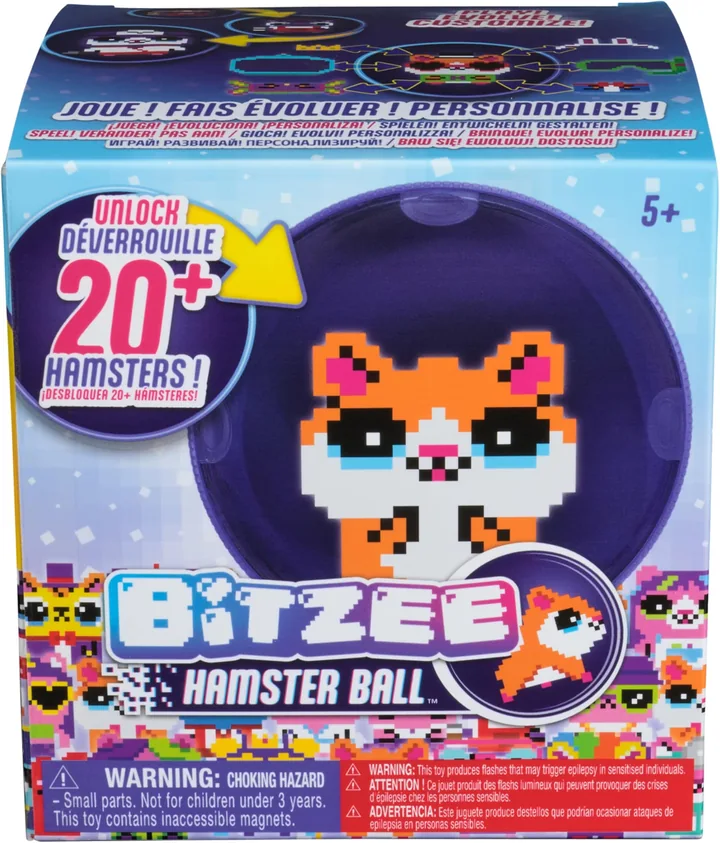
Before recycling the box, save the model details and keep the stand and paperwork together. This makes it easier to identify the right support guidance later.
Considering a Bitzee Hamster Ball?
Compare the listing with your toy’s age guidance and included accessories before ordering.
View Bitzee Hamster Ball on Amazon ↗Affiliate link. As an Amazon Associate, we earn from qualifying purchases. Check the exact model, price and availability.A sensible first-session checklist
1. Read the setup illustration first
Find the opening, activation and start-up illustrations in the included Quick Start Guide. Follow the official steps for removing any packaging or demonstration setting. Do not assume this toy uses the same setup sequence as another Bitzee model.
2. Try one response at a time
Use the included stand while learning the controls, and let one person perform an interaction while another watches the response. Start with a documented touch action, then try movement or rolling only as shown in the official instructions.
3. Learn the difference between care and exploration
Watch for the hero hamster’s care prompts before moving to rolling exploration, customization or mini-games. The paper instruction sheet remains the best reference for what each on-screen symbol and input means.
Bitzee Hamster Ball: Quick Controls
These four quick steps come from Spin Master’s illustrated Hamster Ball instructions. Check the sheet included with your toy if your model differs.
| Action | What to do |
|---|---|
| Exit Try-Me mode | Move the switch on the underside from position 1 to position 2. |
| Return to the home screen | Press and hold the dome for approximately 2 seconds. |
| Navigate customization options | Turn the wheel to browse options, then press the dome to select. |
| Help your hamster evolve | Use Explore to discover items and friends, and follow care prompts as your hero progresses from baby to teen to Super Bitzee. The manual also identifies a Love Meter, but does not specify that Explore alone fills it. |
For diagrams, see the third-party-hosted copy of Spin Master’s illustrated instruction sheet (PDF).
How do the basic interactions work?
Spin Master confirms three broad interaction types. The table describes the play concept—not an exhaustive control chart or a substitute for the instruction-sheet diagrams.
| Interaction | What it does | Use the instructions for |
|---|---|---|
| Touch | Respond to and care for your digital hamster | Exact touch area and gesture |
| Movement | Produces reactions as you handle the toy | Safe motion and the correct play context |
| Rolling | Exploration to discover treats, items and friends | When and how to begin rolling play |
For a new owner, naming each action while trying it can make play less confusing. Do not force the ball or open its electronic housing to investigate a response.
Understand care, growth and progression
The experience begins with a baby hero hamster. Spin Master describes feeding treats, petting, exercising on a hamster wheel and bath-style care. With progression, that hero grows from baby to teen to Super Bitzee.
Care actions are digital play activities, not instructions to feed or wash a real animal. If a prompt is unfamiliar, consult the printed legend or pause the official video at the relevant demonstration. Progression may take repeated play; we have not verified a universal shortcut or specific evolution timer.
What can you unlock in Bitzee Hamster Ball?
Spin Master describes 20 collectible hamster friends alongside the starting hero. Featured themes include baseball, chef, magician and spa. Rolling exploration is advertised as a way to find friends, treats and items.
Players can also change the hero’s outfit, backdrop and pose, explore different looks, collect Super Bitzee friends and play five mini-games. The manufacturer does not establish that every friend or outfit appears immediately. Avoid treating a retailer’s character count as a guaranteed first-session unlock.
When something does not respond
Describe what is happening before troubleshooting: is there no display at all, an input that seems unfamiliar, or a particular game or friend that has not appeared? Compare that symptom with the included instructions and Spin Master’s model-specific product page.
If power seems weak, have an adult check the battery instructions and markings before touching the battery compartment. Do not improvise a reset combination or pry open the electronics. For a suspected defect, contact Spin Master support or the retailer with the model and purchase details.
A gift or a replacement?
If you are comparing the Hamster Ball with other Bitzee models, check the included stand, model information and seller details before choosing.
View Bitzee Hamster Ball on Amazon ↗Affiliate link. As an Amazon Associate, we earn from qualifying purchases. Check the exact model, price and availability.Frequently asked questions
How do I start Bitzee Hamster Ball for the first time?
Use the included Quick Start Guide for the exact activation process, then follow the on-screen tutorial or illustrated sequence provided for your model. The official video above can help you recognize interactions.
How many hamsters are in Bitzee Hamster Ball?
Spin Master describes a starting hero hamster plus 20 discoverable friends. Its marketing also calls this “over 20 hamsters”; the 20 figure refers to the friends available to discover.
How many games does Bitzee Hamster Ball have?
The manufacturer lists five mini-games. Use the instruction sheet for the exact controls and any game-access conditions.
Does Bitzee Hamster Ball come with batteries?
Yes. Spin Master lists three included AA batteries. Have an adult follow the supplied battery safety instructions when replacement is needed.
Can this guide replace a lost manual?
No. It covers verified product features and safe starting advice, but the model-specific control diagrams and warnings belong to the original instruction sheet. Request a replacement from Spin Master support if needed.
Sources
- Spin Master: Bitzee Hamster Ball official product page — features, contents and age guidance.
- Spin Master: official Bitzee Hamster Ball how-to video.
- Spin Master illustrated Bitzee Hamster Ball instructions (PDF, third-party-hosted copy) — Try-Me switch, dome hold, customization and progression diagrams.
- Quick Start Guide and Instruction Sheet included with the exact toy — the primary references for detailed controls and safety warnings.
Research checked November 17, 2026. This is a researched guide, not a report of personal hands-on testing. For comparisons, see our Bitzee Aquarium instructions, Bitzee Doghouse instructions and Bitzee KPop Demon Hunters guide.