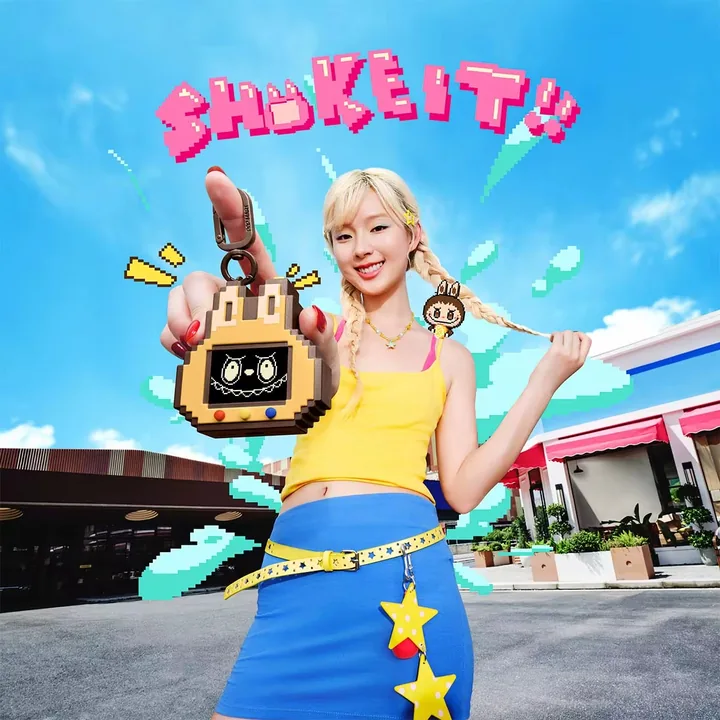
Labubu Shake A Drink is the fan-friendly name for POP MART's THE MONSTERS Shake A Drink Gaming Handheld. Unlike a plush blind box, this is a rechargeable miniature electronic game: you manage a café, interact with characters, mix virtual drinks, take photos and can connect two matching handhelds for games.
This independent owner guide explains first-time setup, the A/B/C controls, the drink-making and café loop, the camera, multiplayer and what to check when the device seems stuck. Specific button steps below come from the published manual; where a recipe or character unlock condition is not documented, we say so rather than guess.
Watch Labubu Shake A Drink in Action
Watch the Labubu Shake A Drink handheld in action to get a closer look at the device before following our step-by-step instructions. Credit: Show & Nell.
This video plays using YouTube’s standard player. If playback is unavailable, watch directly on YouTube.
Labubu Shake A Drink at a Glance
| Detail | Verified information |
|---|---|
| Official name | THE MONSTERS Shake A Drink Gaming Handheld |
| Brand | POP MART |
| US online release | October 22, 2026 |
| US launch-price reference | $49.99 reported; verify current listing price |
| Type | Handheld café-management and mini-game collectible |
| Model | P-092606004 |
| Battery | Built-in 800mAh rechargeable battery |
| Charging | USB-C; 5V/1A external charger recommended |
| Age guidance | POP MART: not suitable for persons under 15 |
POP MART confirms the October 22 US online release and 15+ guidance. Availability and pricing change; the historical price above is not a live quote. The published instruction manual identifies the model, battery and setup controls.
Looking for the exact handheld?
See POP MART's official product details and check age guidance, specifications and current availability directly.
Explore Shake A Drink at POP MART USA ↗Direct link to POP MART's official store. This is not an affiliate link; current stock and prices are not guaranteed.How to Set Up Labubu Shake A Drink
- Check the contents and charge safely. The published manual lists the handheld, metal hanging ring, instructions, USB-C charging cable and sticker. The wall charger is not included. Inspect the cable and housing before use, and use a compatible 5V/1A low-voltage source.
- Turn the device on. Press and hold B until the handheld powers up.
- Choose a language. Work through the on-screen first-run language selection; use A to change a highlighted option and B to confirm when prompted.
- Set volume and brightness. Follow the sequential setup prompts, choosing comfortable sound and screen levels.
- Set the clock. Enter the time requested by the device.
- Choose multiplayer settings. Enable the feature if you plan to connect a second compatible Shake A Drink handheld. You can still enjoy the café game alone.
- Open the main café screen. Once the prompts are complete, look for the time, battery and staff-mood information. Press A to open the game's main menu.
If the screens differ from these steps, follow the prompts shown on your particular firmware instead of guessing a hidden startup shortcut. The manufacturer’s manual remains the authority for your version.
Labubu Shake A Drink Button Controls
It is worth memorizing three buttons before trying a new activity: A changes the selection, B confirms, and C goes back. Holding B has a separate power function.
| Control | Documented action |
|---|---|
| A | Switch or browse options; open the main menu on the café screen |
| B | Confirm a selection; hold to turn on, or hold then confirm shutdown |
| C | Cancel an action or return to the previous screen |
| Shutter button, short press | Enter sleep when outside camera operation; take a picture when using camera |
| Shutter button, long press | Open the camera |
| NFC contact area | Tap-to-play proximity area for supported two-device games |
| USB-C port | Charge the device; manual also describes wired data export |
| HARD OFF control | Recovery option for an unresponsive device; not a routine menu button |
To power off: Hold B, then choose the shutdown confirmation. To sleep: Tap the shutter/sleep control while outside camera mode. Press any button to wake. These are different from a full restart.
How to Play: Café, Forest, Shop and Staff Mood
The core game is a miniature café simulation. You monitor the status screen, choose activities, collect or work with ingredients and use the mixology feature to prepare virtual drinks. Menu labels may depend on the selected language or firmware.
- Check the café screen. Read the battery indicator, clock and staff mood before jumping into a mini-game.
- Cheer up staff when needed. The manual specifically says that if staff mood is low, press B on the main screen to interact. This is more useful than repeatedly entering the shop while morale is low.
- Open the main menu with A. Browse the available choices, including Forest, Mixology Class and Shop.
- Explore the Forest. Use its prompts to discover activity and ingredient-related content. The published condensed manual does not specify a fixed ingredient drop rate or guaranteed collection route.
- Try Mixology Class. Enter the drink activity and follow its on-screen steps to select available options and prepare a drink.
- Visit the Shop. Review the items available at your current progression. Do not assume every mystery item awards a specific character.
- Return to the café. Check whether staff mood, resources or available interactions have changed after play.
Product descriptions may refer to making and selling drinks. The published setup reference verifies the café, mixology and shop areas but does not establish a complete sales-price formula or a universal customer-order sequence. Follow the current game prompts for those details.
How to Make Drinks in Shake A Drink
Start from the main café screen, press A for the menu, and choose Mixology Class. That is the reliable navigation starting point. Once inside, use A to move between the offered choices and B to confirm a highlighted action; C backs out if you need to revisit a selection.
- Check whether the game is asking for ingredients or another preparation step.
- Select from the ingredients actually available on your device. If an item is missing, return to the Forest or Shop menus rather than trying an unsupported code.
- Follow any on-screen prompts for mixing, moving or shaking the handheld. Hold it firmly and avoid abrupt force.
- Read the result or rating that appears before starting another attempt; these prompts teach more than a guessed recipe list.
- If a drink is not accepted, confirm you chose the requested item and revisit the on-screen instructions.
About recipes and ratings: Publicly accessible manual text does not establish an authoritative chart of ingredient combinations, scores or guaranteed results. This guide therefore doesn't promise that a particular sequence produces a secret drink. If the game awards a rating, treat it as feedback for that in-game attempt—not proof of a universal recipe.
Characters, Mystery Items and Unlocking New Content
THE MONSTERS theme includes the recognizable Labubu-style character world, but the collectible designs sold as physical blind boxes are not automatically playable characters in this electronic game. The authoritative material reviewed for this guide doesn't supply a complete in-game character roster or all unlock thresholds.
As you play, check the Shop, available mystery items and the game's progression prompts. It is reasonable to test the areas the device offers; it is not reliable to promise that opening a certain number of items grants a named secret character. Likewise, unusual cosmetic appearances should not be labeled "rare" without published rarity rules.
If you were looking for physical Labubu collectibles rather than this handheld, our Labubu Cat Mode On character guide explains a separate vinyl-plush collection. Our POP MART Wishes Come True guide covers another distinct series.
How to Connect Two Shake A Drink Handhelds
Multiplayer requires two compatible devices. The manual describes an NFC tap-to-play area and instructs owners to bring the left sides of the handhelds together after multiplayer has been enabled in the settings. This is not a procedure for pairing with a mobile phone.
- Turn on both Shake A Drink handhelds and confirm they are working independently.
- Enable multiplayer in each device's settings.
- Bring the left sides near each other, aligning the NFC interaction areas as shown on the device's instructions.
- Follow the on-screen game or connection prompts rather than trying an undocumented Bluetooth pairing code.
- Available random two-player experiences described in the manual include Card Match and Rock Paper Scissors.
If they do not connect, retry with both devices awake, multiplayer enabled and the correct sides facing one another. Check that both are the same compatible gaming-handheld type, and move away from nearby metal objects that might interfere with close contact. No account sign-in or phone-app pairing sequence is established in the manual.
How to Take Photos and Add Stickers
The camera is a genuine built-in function, not just a decorative drawing on the shell. The manual gives the following shortcut:
- Hold the shutter button to enter the camera.
- Frame your photo on the display.
- Press the shutter button or B to capture a picture.
- Press A to access sticker options while in the camera feature.
- Use C where the screen offers Back or Cancel.
The manual identifies USB-C as a charging and data-export port, but the accessible reference does not give a tested computer-transfer workflow or exact capacity for stored images. Do not assume a particular memory-card slot, desktop application or cloud-backup option. For transfers or missing photos, consult the full model manual and whatever prompts the device displays.
Charging, Battery, Sleep and Power
Shake A Drink contains a built-in 800mAh lithium-ion battery and charges via USB-C. The included cable is not the same as a wall adapter: the manual says the charger itself is not included and specifies a safe extra-low-voltage DC 5V/1A supply.
- Check the device, charging cable and port for visible damage before connecting power. Do not use damaged equipment.
- Keep the handheld dry, away from direct heat and out of rain.
- Use the on-screen battery indicator to decide when it needs charging; a precise charging time and battery runtime have not been verified here.
- Use a short shutter press for sleep, any button to wake, and a B long press followed by confirmation for full shutdown.
- Do not open the battery housing or try to replace the internal cell yourself. The manual reserves battery replacement for qualified personnel.
POP MART's age guidance is not suitable for persons under 15. The manual also warns of flashing-light sensitivity, so read the supplied safety instructions before use.
Labubu Shake A Drink Not Working? Troubleshooting
Start with the least disruptive step. A sleeping device and a frozen device can look alike, but their solutions differ.
| Problem | What to check |
|---|---|
| Will not turn on | Charge using a safe 5V/1A supply, then hold B; check for cable or port damage. |
| Blank or sleeping screen | Press any button to wake. If nothing changes, confirm the battery has power. |
| Button does not work | Try the correct A/B/C action for that screen. Avoid force and check whether the device is sleeping. |
| Game appears frozen | Wake first; if truly unresponsive, use the documented HARD OFF recovery control only as directed in the manual. |
| Does not charge | Check a known-safe power source and USB-C connection; stop if the cable or port is damaged. |
| Two devices will not connect | Enable multiplayer on both, wake both, and align their left-side interaction areas. |
| Camera will not open | Try a long shutter press rather than a short sleep press. |
| No sound | Check the selected volume setting before assuming a speaker failure. |
| Progress seems missing | Check the correct game screen and settings. No general recovery guarantee or cloud restore has been verified. |
What does the HARD OFF control do?
The manual documents HARD OFF as a recovery control when ordinary buttons do not restore an unresponsive game. Its procedure uses a thin, blunt implement on the designated control, followed by holding B to restart. Do not probe unmarked holes or open the case. The source describes saved-data retention in that scenario, but it is safer not to promise that every software fault or hardware failure preserves progress. Try sleep/wake and ordinary shutdown first when available.
If these checks do not help, use the model identifier P-092606004 when contacting POP MART support; describe the symptom and steps already tried.
Eight Useful Tips for New Players
- Learn A, B and C before exploring. This avoids confusing Back with Power.
- Do not skip the initial time and sound settings. They affect everyday comfort and help establish a predictable first session.
- Check staff mood on the café screen. Use B there to interact when the mood appears low, as the manual specifies.
- Use menu labels, not mystery shortcuts. Forest, Mixology Class and Shop are confirmed destinations.
- Read drink feedback. A result screen provides evidence about that attempt; a social-media recipe may not match your firmware.
- Keep multiplayer simple. Start with two charged, awake, compatible units and align the left sides.
- Remember short versus long shutter presses. A short press may sleep the handheld; a long press opens the camera.
- Protect the charging port and photos. Keep the handheld dry, and don't assume exported pictures or saved game data are backed up automatically.
Double-check the exact model
POP MART's own product page is the best place to confirm the handheld's dimensions and age guidance. Availability may change.
View Shake A Drink at POP MART USA ↗Official POP MART store link, not an affiliate recommendation. Current price and stock are not guaranteed.Frequently Asked Questions
How do you play Labubu Shake A Drink?
Use A to open the main menu from the café screen, choose activities such as Forest, Mixology Class or Shop, and press B to confirm choices. Monitor staff mood as you play.
How do you turn it on?
Press and hold the B button. When you want to power down, hold B and follow the confirmation prompt.
How do you make drinks?
Open Mixology Class from the main menu and follow the ingredient and mixing prompts shown in your game. No verified universal recipe table was available for this article.
How do you unlock characters?
Explore the in-game progression and Shop prompts. An authoritative complete character unlock list has not been confirmed, so avoid promises about secret items or exact thresholds.
Can you play with friends?
Yes. Two compatible handhelds can use supported NFC-based multiplayer games, including Card Match and Rock Paper Scissors.
Does multiplayer require two devices?
Yes, for the described two-player tap-to-play interactions. The main café experience works on a single handheld.
How do you charge the handheld?
Connect the USB-C cable to a compatible DC 5V/1A charging source. The manual identifies an 800mAh internal rechargeable battery.
What if the game freezes?
Try waking it with any button. The manual documents a HARD OFF recovery option if normal controls fail. Use only the labeled control and the correct manual instructions.
Does the game have a camera?
Yes. Hold the shutter button to enter the camera, use shutter or B to take pictures, and A for sticker options.
Is Labubu Shake A Drink available in the USA?
POP MART lists an official US online release of October 22, 2026. That does not guarantee current inventory; check the official listing.
Is Shake A Drink suitable for young children?
No. POP MART labels this electronic collectible unsuitable for people under 15. Follow the product's own age and safety information.
Can game progress be saved?
The manual mentions retaining saved data during its documented HARD OFF recovery. It does not establish that all kinds of failure or factory servicing preserve progress, so don't assume automatic backups.
Sources and Editorial Note
- POP MART USA — official Shake A Drink product listing (name, age guidance and US release).
- POP MART FCC-filed model P-092606004 manual (manufacturer document reference).
- Published Shake A Drink instruction manual transcription (controls, menu, power, camera, multiplayer and safety).
- Original YouTube uploader — supplied Shake A Drink video (creator linked; channel identity not independently verified).
Interactive Pet Guide is an independent, research-based website. We have not personally tested this handheld, and this article is not sponsored by POP MART. Specifications and software behavior may differ by version; when in doubt, follow the manual included with your own device. There are no affiliate links in this guide.
For adjacent POP MART collectibles, see Labubu Cat Mode On, Wishes Come True, and our blind boxes for Christmas 2026 guide. These are different products from the Shake A Drink electronic handheld.